



This story is part of CT Mirror Explains, an ongoing effort to distill our wide-ranging reporting into a "what you need to know" format and provide practical information to our readers.
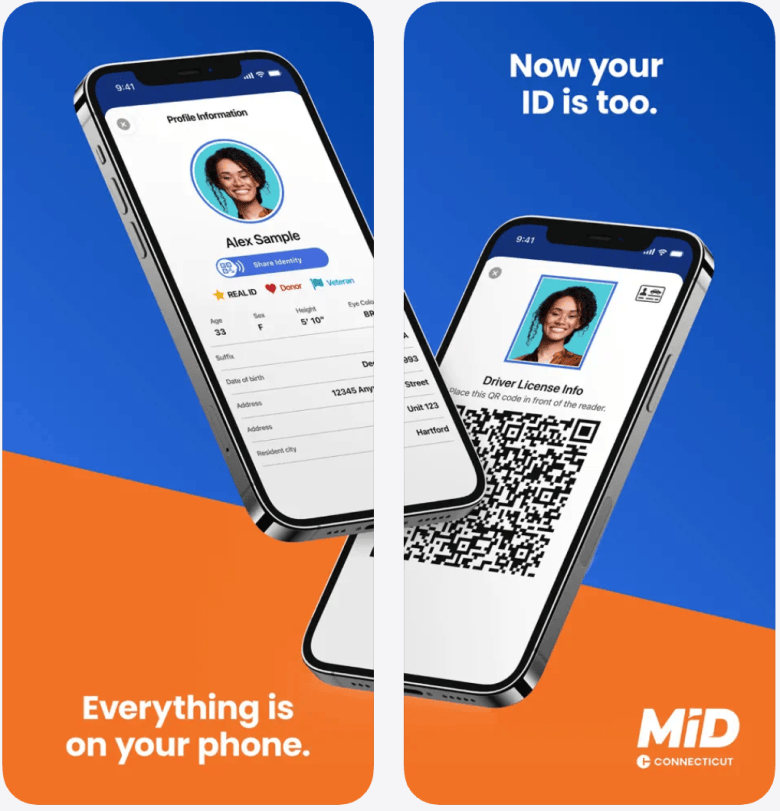
The Connecticut Department of Motor Vehicles launched a Mobile ID app on Wednesday.
While it won’t replace a physical identification card in many instances, it will be accepted at travel security checkpoints, including in the state’s largest airports in Hartford and New Haven. State officials said they expect more places will accept the mobile ID in the future as well.
“Our administration has made it a priority to make state government more accessible and convenient to access by putting more services online and available through mobile devices,” Gov. Ned Lamont said in a press release.
Here’s what residents should know to get started.
How do I get a Mobile ID?
To enroll in mobile ID residents must download the free Connecticut Mobile ID app from the Apple App Store or Google Play Store and will need the following:
- A smartphone.
- A valid, physical ID, with no major wear, damage, or scratch marks on either side.
- A dark, flat surface with good lighting for pictures.
The physical DMV-issued identification cards that are eligible are: Non-Driver identification cards, Driver’s License, Learner’s Permit, Adult Learner’s Permit, Commercial Driver’s License.
To set up, residents must register their phone number in the app. They must take pictures of their physical ID, along with a selfie to verify identity. The app then checks if the information is accurate to the state’s system of record.
Where can I use my mobile ID?
Residents can use their mobile ID at participating Transportation Security Administration, or TSA, airport security checkpoints nationwide. In Connecticut, these include Bradley International Airport and Tweed New Haven Airport. The mobile ID, like the physical one, must be REAL ID compliant.
It can also be used at participating businesses, such as bars, restaurants, dispensaries, and retailers, and may also be used online. The state has not provided a master list for users.
There are still places where the app will not work. State and local police will not accept Mobile ID at launch, which includes during traffic stops. Mobile ID also will not work at polling stations for voting.
Mobile ID is an optional companion to a physical driver’s license or state ID but is not a replacement so residents must still carry their physical ID with them as always.
How does the mobile ID work?
To open the app, users must always authenticate using Face ID, a fingerprint, or a PIN to ensure if your phone is lost or stolen, a stranger won’t have easy access to it. The mobile ID app also automatically times out after inactivity.
To share a mobile ID, the user’s phone generates an encrypted QR code, which is scanned by the verifier’s device. Users choose to accept or deny the verifier’s request after scanning.
The data users share is encrypted, meaning the verifier will not have any of the user’s information stored on their device. The app developer, IDEMIA, said they do not permanently collect, store or hold onto personal data themselves.
If I have questions, who do I contact?
For trouble with scanning the physical ID, receiving text verification codes, or accessing the Mobile ID app, visit the get support page on IDEMIA’s website.
If the app is displaying incorrect address information, the physical license data needs updating, or the user encounters revoked status, contact the DMV through the CT DMV Contact Form, or by calling 1-860-263-5700.
If the physical driver’s license or state ID is lost, stolen, or damaged, residents cannot set up a mobile ID until they’ve received another card. For more information, visit the CT DMV Replacement License Portal or visit a local DMV for a replacement.